July 7, 2026
How to Find Inactive Twitter Followers
Find inactive Twitter followers and following accounts, clean low-signal accounts, and back up your list before making changes.

Inactive Twitter followers and inactive following accounts make your social graph harder to understand. They can hide real audience signals, reduce the quality of your feed, and make it harder to decide who is worth tracking.
The goal is not to chase a perfect ratio or remove everyone who posts less often. The goal is to separate valuable accounts from accounts that no longer matter to your workflow.
This guide explains how to find inactive Twitter followers and following accounts, what signals to review, and why you should export a backup before cleanup.
What counts as inactive
Inactivity is contextual. A journalist who posts once a month may still be valuable. A customer account that has not posted in a year may still matter. A bot with no recent activity and no relationship to your work probably does not.
Useful signals include:
- Low or stale post count.
- No recent visible activity.
- Very low engagement value for your goals.
- Empty or suspicious profile.
- Follower/following patterns that look automated.
- No clear reason you followed or kept the account.
Do not use one metric alone. Use filters to create a review queue, then make decisions with context.
Why clean inactive accounts
Cleaning inactive accounts can improve:
- Feed quality.
- Research accuracy.
- Audience analysis.
- Account health reviews.
- List management.
- CRM or creator database quality.
If you follow thousands of accounts, even a small percentage of stale entries can make search, folders, and exports harder to use.
Start with a backup
Before removing followers, unfollowing accounts, or reorganizing folders, export your user list. A backup gives you a record of what changed and lets you recover context later.
For following backups, read How to Export Your Twitter Following List.
Use Twillot’s inactive cleanup workflow
In Twillot, inactive cleanup is available from relevant user categories such as following and followers. The toolbar action opens a cleanup workflow so you can review accounts instead of guessing from the native X interface.
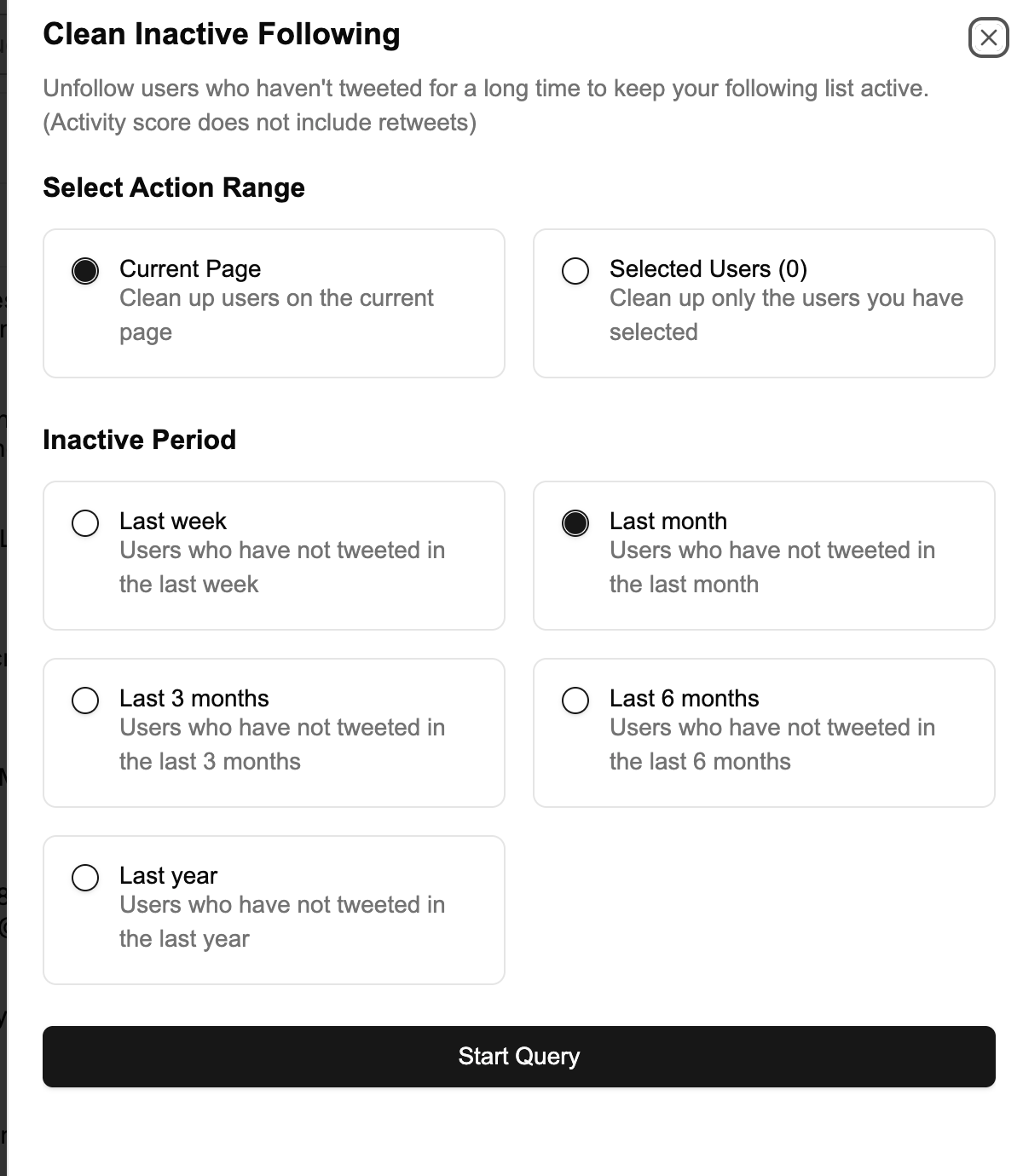
A safe workflow:
- Sync the current user category.
- Export the full list.
- Open the inactive cleanup action.
- Review the suggested accounts.
- Filter further by counts or account status if needed.
- Export the cleanup candidate list.
- Remove or reorganize only after review.
This keeps the process deliberate.
Filter before deciding
Inactive cleanup is stronger when combined with filters. Look at follower count, post count, protected status, DM availability, and folders.
Examples:
| Goal | Useful filter |
|---|---|
| Find likely inactive accounts | Low post count + stale profile signals |
| Find accounts to keep despite inactivity | Folder + high relevance |
| Review possible spam followers | Low follower count + suspicious profile |
| Clean old follows | Following category + low activity |
The right decision depends on your use case.
Inactive followers vs inactive following
Inactive followers and inactive following accounts are different problems.
Inactive followers affect audience quality and analytics. Inactive following accounts affect your feed and research inputs.
| Category | Cleanup question |
|---|---|
| Followers | Does this account belong in my audience? |
| Following | Does this account deserve attention from me? |
For creators and businesses, both matter.
Avoid over-cleaning
Some quiet accounts are still valuable. A founder may post rarely but matter to your market. A private account may be a real customer. A low-post account may be new rather than inactive.
Do not remove accounts only because one number is low. Use filters to prioritize review, not to automate judgment blindly.
Keep a cleanup log
For serious account management, keep a simple cleanup log:
- Date.
- Category reviewed.
- Filters used.
- Export filename.
- Number of accounts removed or reorganized.
- Notes about criteria.
This helps you avoid repeating the same review and makes changes easier to explain later.
FAQ
Can I find inactive followers on Twitter directly?
The native interface does not provide a structured cleanup workflow for inactive followers. Twillot helps by syncing user data and giving you filters and cleanup actions.
Should I remove all inactive followers?
No. Inactivity is contextual. Review accounts before removing them, especially if they may be customers, sources, or private contacts.
Should I export before cleanup?
Yes. Always export the full list before removing followers or unfollowing accounts.
What is the difference between cleanup and bulk remove?
Cleanup is a review workflow for finding low-signal or inactive accounts. Bulk remove is an action you take after deciding which accounts should be removed.
Next steps
After identifying inactive accounts, use follower filters more precisely with How to Filter Twitter Followers by Count and Engagement or compare cleanup actions in How to Bulk Remove Twitter Followers.